HOW DETECTION WORKS
beacon only sees what broadcasts.
the beacon is a passive listener on WiFi and bluetooth. surveillance gear announces itself over the air, and the beacon recognizes those broadcasts. the detection side never transmits, jams, or spoofs. it listens for what's already out there, and puts it on your map. inside are two radios: a dedicated scanner keeps bluetooth listening nonstop while a second radio handles WiFi and the phone link, so scanning never pauses. and if that dedicated scanner ever drops out, the app says so, so a dead radio can't quietly pass for a quiet room.
inside: two radios, nothing hidden
photo soon
A DEDICATED BLUETOOTH RADIO + A WIFI RADIO. OPEN HARDWARE, NOTHING HIDDEN.
WHAT A SIGNATURE LOOKS LIKE
› MAC / OUI blocks · hardware from known surveillance vendors
› advertised names · what devices call themselves over bluetooth
› drone remote ID · the ID drones are required to broadcast
› BLE company IDs · how recording glasses and trackers identify themselves in their adverts
› flock hardware patterns · how ALPR nodes announce themselves on WiFi
what one detection tells you.
01
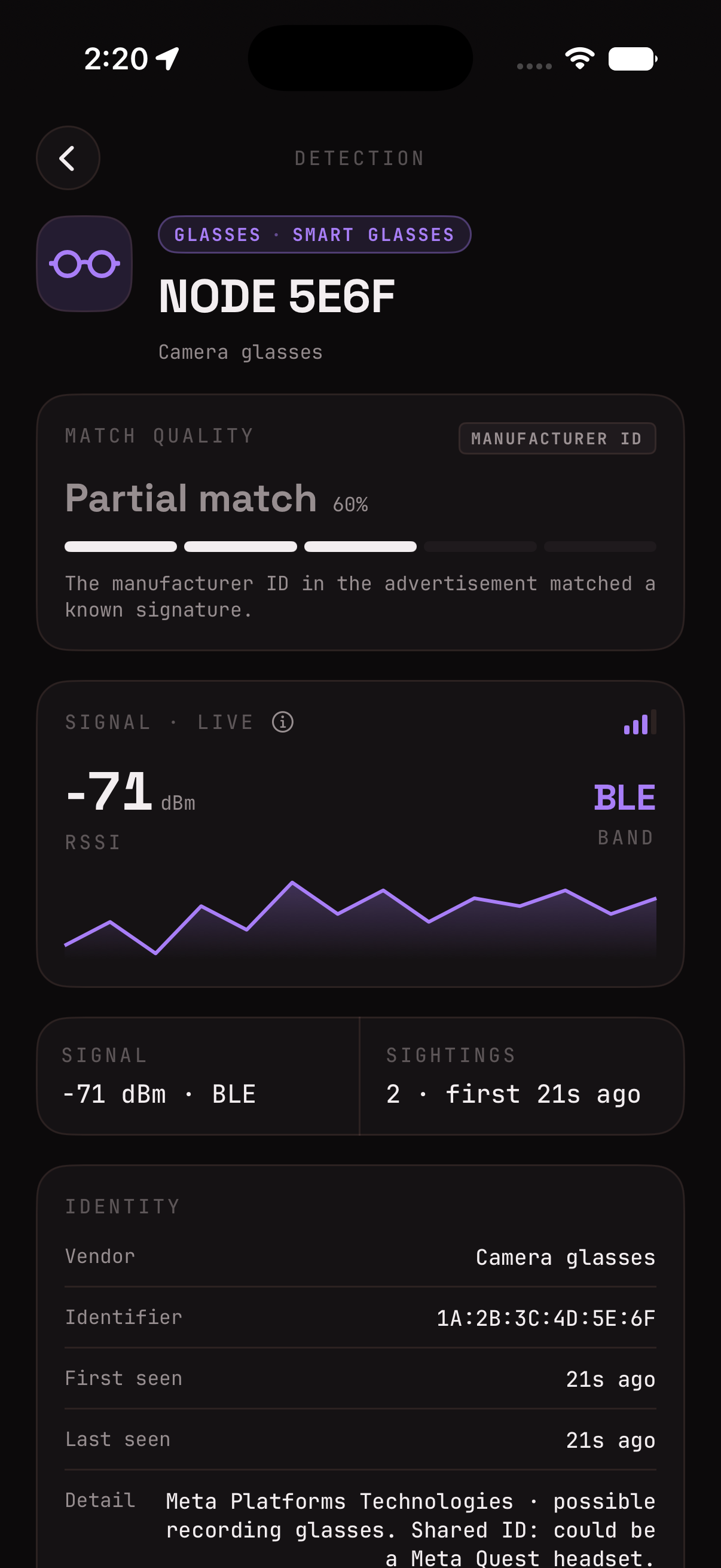
match quality, in the open. how sure it is and why. a chipset-only match (a part flock shares with routers and home cameras) says so out loud, the honest opposite of a black box.
02
live signal, and how to read it. the RSSI graph is signal strength, moment to moment, closer to zero is stronger. it works like a hot-and-cold meter: walk toward the source and the line climbs, walk away and it drops, so you can close in on where a hit is actually coming from. plus the band it rode in on (WiFi or bluetooth) and how many times you've seen it.
03
confirm it in person. a short checklist for eyeballing the real thing: pole-mounted camera, solar panel, small antenna.
04
star to watch. pin this exact device and get called out every time it's near, even with no known signature.
how watching works ›
EVERY HIT, THE FULL PICTURE. NOT JUST A BEEP.
THE LIMITS
if it stays silent, it stays invisible.
it catches what announces itself over WiFi or bluetooth. that is a specific, verifiable claim, and it comes with real limits. i'd rather you know them.
› WIRED + OPTICAL
wired cameras, purely optical systems, and ALPRs that backhaul over cellular emit nothing the beacon can hear. they won't show up.
› NOT AN SDR
this is not an RF scanner or a bug sweeper. it listens to WiFi and bluetooth for known signatures, nothing more.
› A QUIET SCREEN
means nothing announced itself here. it does not mean you're unwatched.
one opt-in mode leans right up against these limits: network cameras. it's off by default. switch it on and the beacon flags wifi ip cameras from known surveillance brands, hikvision, dahua, reolink and the like, that are powered on and broadcasting on a network nearby, even one you haven't joined. it only knows those branded broadcasts, so it cannot find every camera: nothing wired or analog, nothing offline, powered down, or motion-idle, and no no-name cam whose chip reads like a smart plug. it does no lens or infrared detection, and an empty scan is never a hidden-camera guarantee. treat it as one input alongside a real physical sweep.
the one partial exception is fixed ALPR sites. turn on the opt-in known ALPR layer and the app draws already-mapped camera locations from openstreetmap contributors, licensed under the Open Database License (ODbL), via the registry the community DeFlock project maintains, so you can see a fixed camera nearby even when it isn't broadcasting in range. it's a plain static-file download, your location never leaves the phone, and it's a reference layer, not a live detection.
THE LOOP
every log sharpens the next detection.
detection is signature-based: OUI lists, name patterns, thresholds. new surveillance hardware keeps appearing, and the signatures have to keep up. owners are the loop. found a false alarm, or a miss? share the log straight from the app.
› FALSE ALARM
something got flagged that shouldn't have. your log lets me tighten the signature so it stops nagging you, and everyone else.
› "SHOULD'VE CAUGHT THAT"
you know something was there and the beacon missed it. your log is how a new signature gets made.
send the raw capture.
01
turn on desert mode near the device in question. it makes the beacon report everything nearby, not just what it already recognizes.
02
let it run for a few minutes so the log fills up.
03
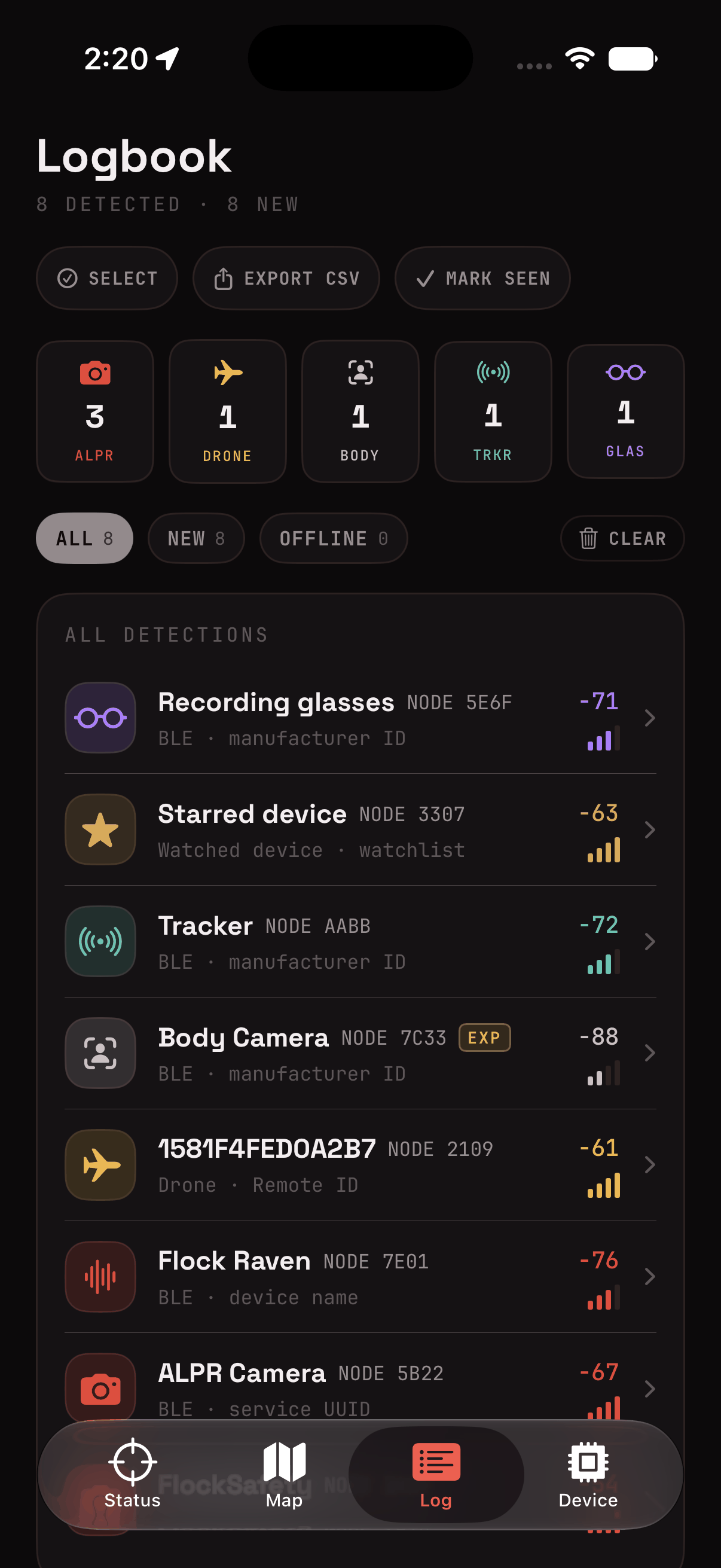
hit export csv in the logbook. the file exports as-is, including any GPS pins, so delete what you don't want to share before sending. there's no account or ID attached, a shared log is only what's in the file.
04
send the log to
logs@soyboi.tech. email, not a public github issue, on purpose: your capture can include GPS, and it should never sit on the open internet.
OPT-IN ONLY. NOTHING LEAVES YOUR PHONE UNLESS YOU SEND IT.
no capture, just a heads-up? report a false positive or a device i missed on github issues, tell me what it flagged, what it actually was, and roughly where (optional).