
beacon only sees what broadcasts.
the beacon is a passive listener on WiFi and bluetooth. surveillance gear announces itself over the air, and the beacon recognizes those broadcasts. the detection side never transmits, jams, or spoofs. it listens for what's already out there, and puts it on your map. inside are two radios: a dedicated scanner keeps bluetooth listening nonstop while a second radio handles WiFi and the phone link, so scanning never pauses. and if that dedicated scanner ever drops out, the app says so, so a dead radio can't quietly pass for a quiet room.
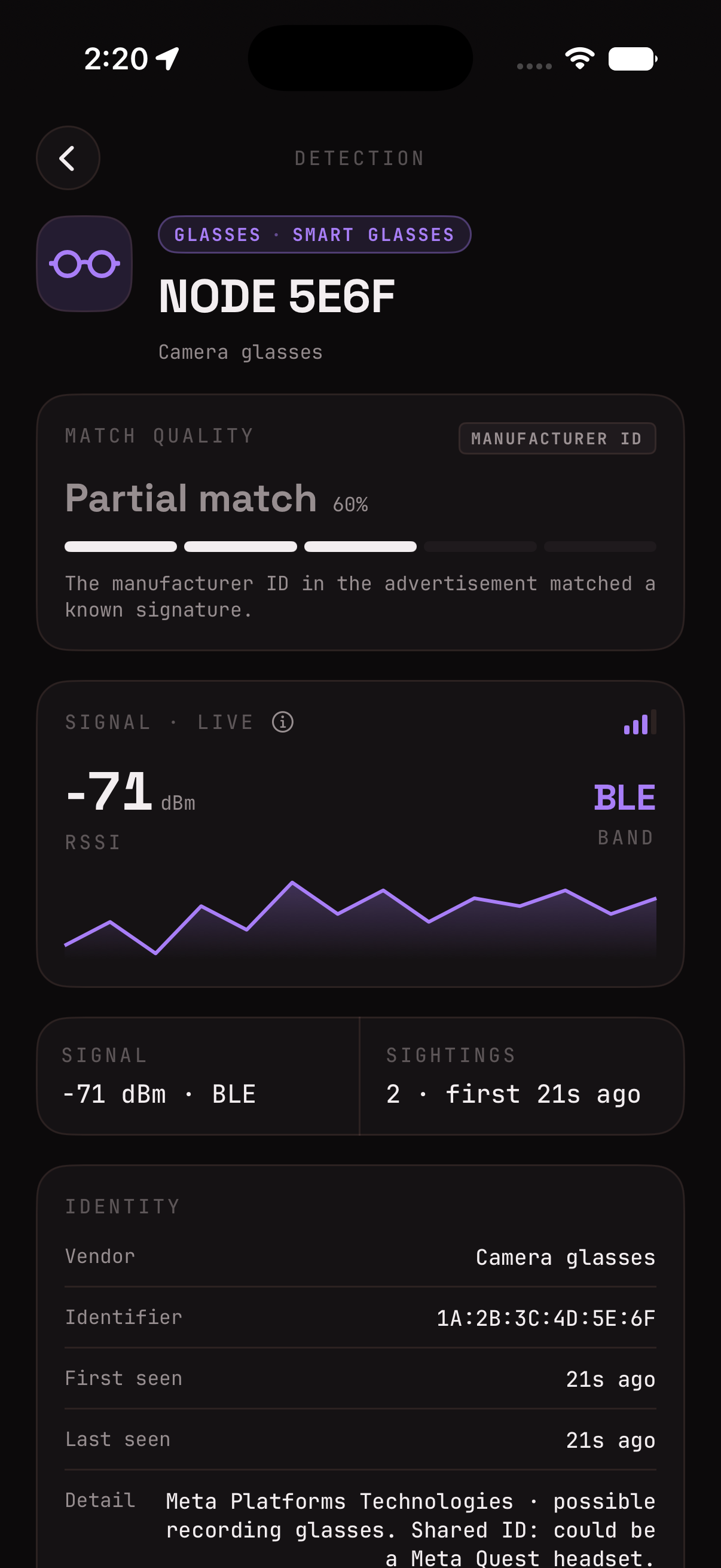
field-proven, signature-ready, or still unproven.
every category below has a real signature in the firmware. but a signature that should work and one i've watched fire against the real device on the street are not the same thing, and lumping them together would be the kind of black box i'm trying to avoid. so here's the honest split.
flock ALPR cameras (bluetooth, proven again on a drive this week; their wifi setup network went quiet across four sites early august, see the faq), axon body cams (confirmed in the field, repeatedly), drones broadcasting remote ID plus the operator's pinned location (a real DJI overhead), separated airtags, and network cameras from dahua and reolink.
other drone makers (parrot, skydio, autel, yuneec, though remote ID is a standard, so a compliant broadcast decodes just like the DJI did), tile and samsung smarttag, more camera brands (hikvision, amcrest, axis), and utility body cams.
signature-ready and experimental aren't padding, they ship on so the beacon is ready the day one rolls past you, and so a capture can prove them out. that's the loop below. when one gets field-confirmed, it graduates up here, honestly.
if it stays silent, it stays invisible.
it catches what announces itself over WiFi or bluetooth. that is a specific, verifiable claim, and it comes with real limits. i'd rather you know them.
one opt-in mode leans right up against these limits: network cameras. it's off by default. switch it on and the beacon flags wifi ip cameras from known surveillance brands, hikvision, dahua, reolink and the like, that are powered on and broadcasting on a network nearby, even one you haven't joined. it only knows those branded broadcasts, so it cannot find every camera: nothing wired or analog, nothing offline, powered down, or motion idle, and no no name cam whose chip reads like a smart plug. it does no lens or infrared detection, and an empty scan is never a hidden camera guarantee. treat it as one input alongside a real physical sweep.
the one partial exception is fixed ALPR sites. turn on the opt-in known ALPR layer and the app pulls already mapped camera locations from OpenStreetMap contributors, licensed under the Open Database License (ODbL), via the registry the community DeFlock project maintains, so you can see a fixed camera nearby even when it isn't broadcasting in range. it's a file downloaded and stored locally, your location never leaves the phone, and it's a reference layer, not a live detection.
every log sharpens the next detection.
surveillance technology changes constantly. beacons works from three sources: known radio signatures matched in firmware, mapped locations from community and public map data, and field observations you can choose to share. detection itself is signature based, OUI lists, name patterns, thresholds, and new hardware keeps appearing, so the signatures have to keep up. it won't identify every device, but every careful capture makes the next firmware release better. owners are the loop. found a false alarm, or a miss? share the log straight from the app.
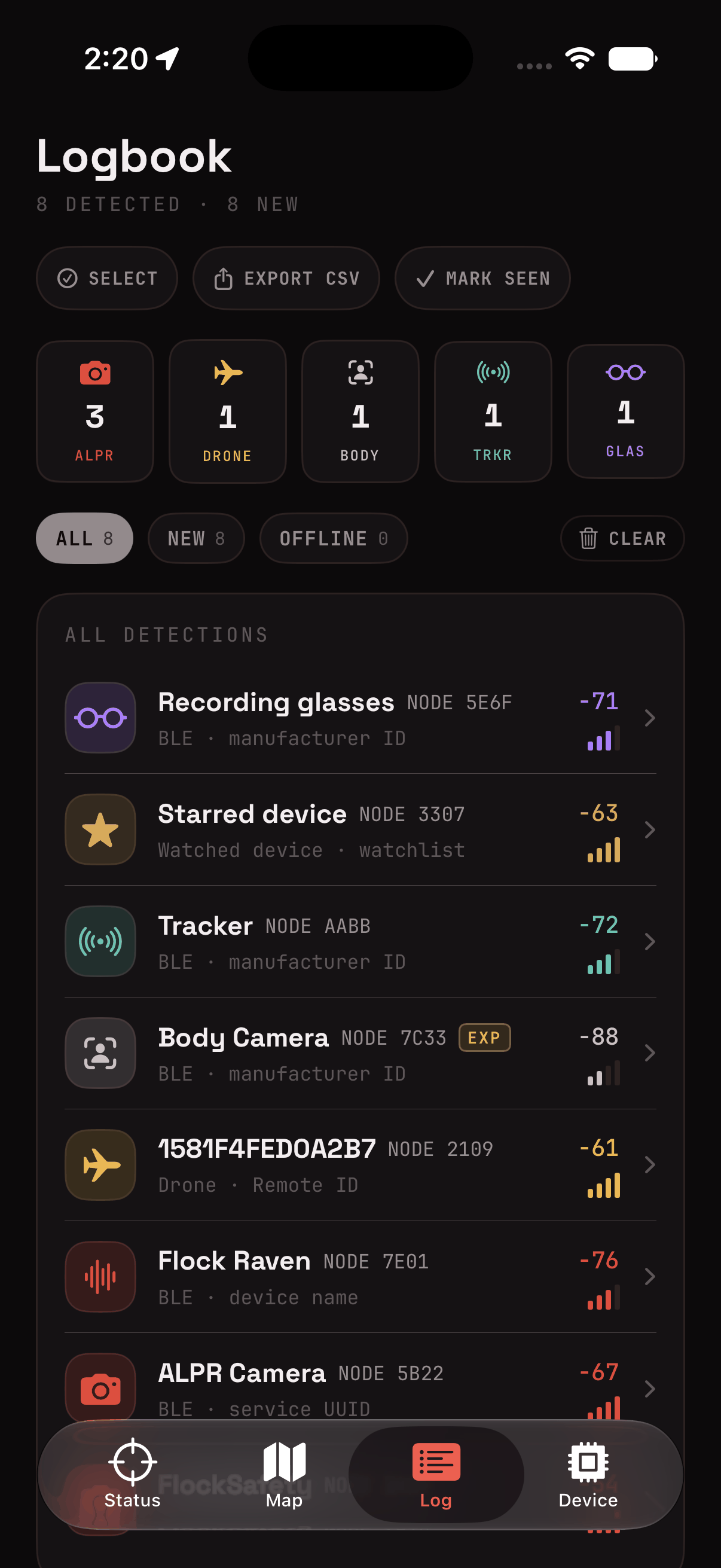
no capture, just a heads up? report a false positive or a device i missed on github issues, or reach out to support@soyboi.tech, tell me what it flagged, what it actually was, approx where you were (optional) and i'll review it. .